


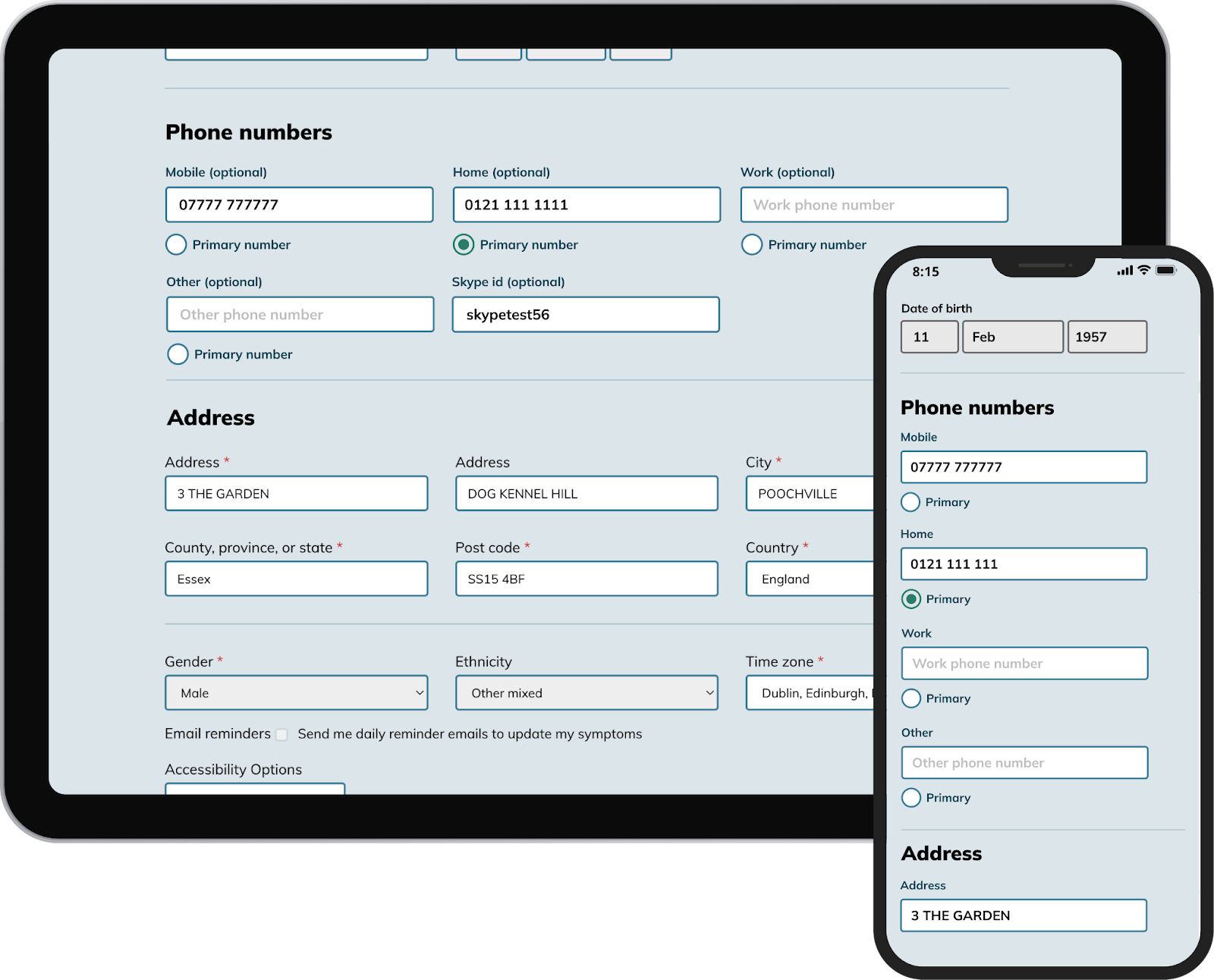
This month, we are expanding the phone number fields in Patients Know Best (PKB) patient records to allow users to add four distinct telephone number types, allowing for a more comprehensive approach to communication. Users will also be able to mark which of the telephone numbers is the primary number to streamline contact and ensure that others can easily reach the patient when it matters most. This will also allow organisations to easily identify mobile numbers for SMS outreach.

Unregistered patients will see the option to add different phone number types when they register. Existing patients can update their numbers on their settings page.
For patients
Updating telephone numbers is very simple. Once the new feature is live, you can follow these easy steps to take advantage of our enhanced settings page:
- Log into your PKB record
- Navigate to the settings page
- Locate the ‘Phone Numbers’ section
- Enter the type of number you want to add into the corresponding field (mobile, home, work or other)
- Use the radio buttons to select which of the phone numbers should be treated as your primary number
- Enter your password and click ‘Save’ at the bottom of the page

Migration of existing phone number data
As we transition to four phone number types, we will migrate phone numbers that fit the mobile format to the correct corresponding field. Any number we cannot confidently identify as a mobile number will be saved in the ‘Other’ field.
For organisations
HL7 API
Our HL7 API already allows organisations to send multiple patient phone number types using the PID-13 and PID-14 fields in A28 & A31 HL7 messages. Previously, we would only store one number and the phone number stored was in order of the following precedence: mobile, home, work. With our upcoming change, we will be able to accept and store a number via HL7 for each of the mobile, home, and work fields.
Bulk patient record upload
When coordinators create new patient records via CSV upload, they now have four phone number columns so they can add mobile, home, work or other numbers to the patient’s record. We have updated the CSV template in the help manual.
Downloading contact details and preferences
When coordinators download the patient consent preferences on the ‘Consent’ tab, the CSV file will include fields for each phone number type.
EMIS IM1 Patient Data Extract Service
The EMIS patient data extract contains both mobile and home phone numbers. These will now show in the correct corresponding fields.